 Photorama
Rewind your photo library
Every month, every trip, every year, as stories: your best photos, your trips on a globe, your people and surprising stats. Everything happens on your iPhone.
Coming soon to the App Store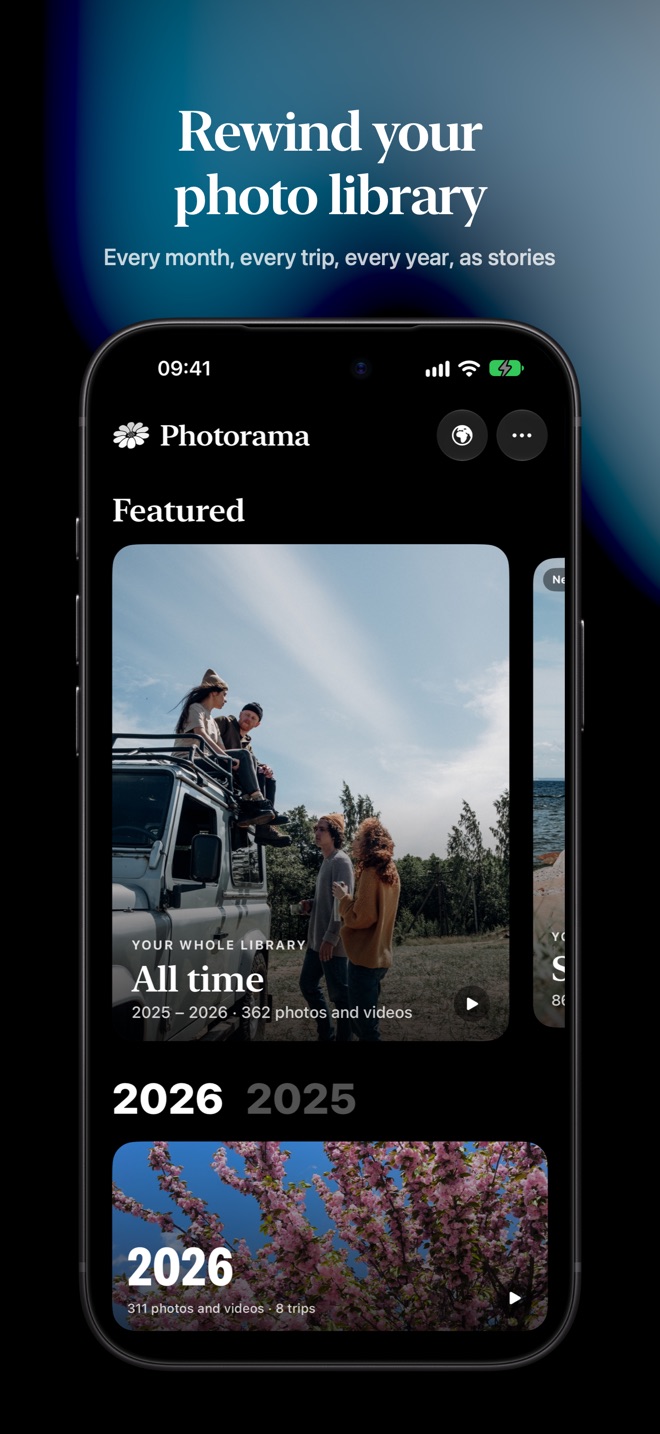

What Photorama does
Your monthly rewind
Each month's highlights, best photos and stats, with a caption for every memory.
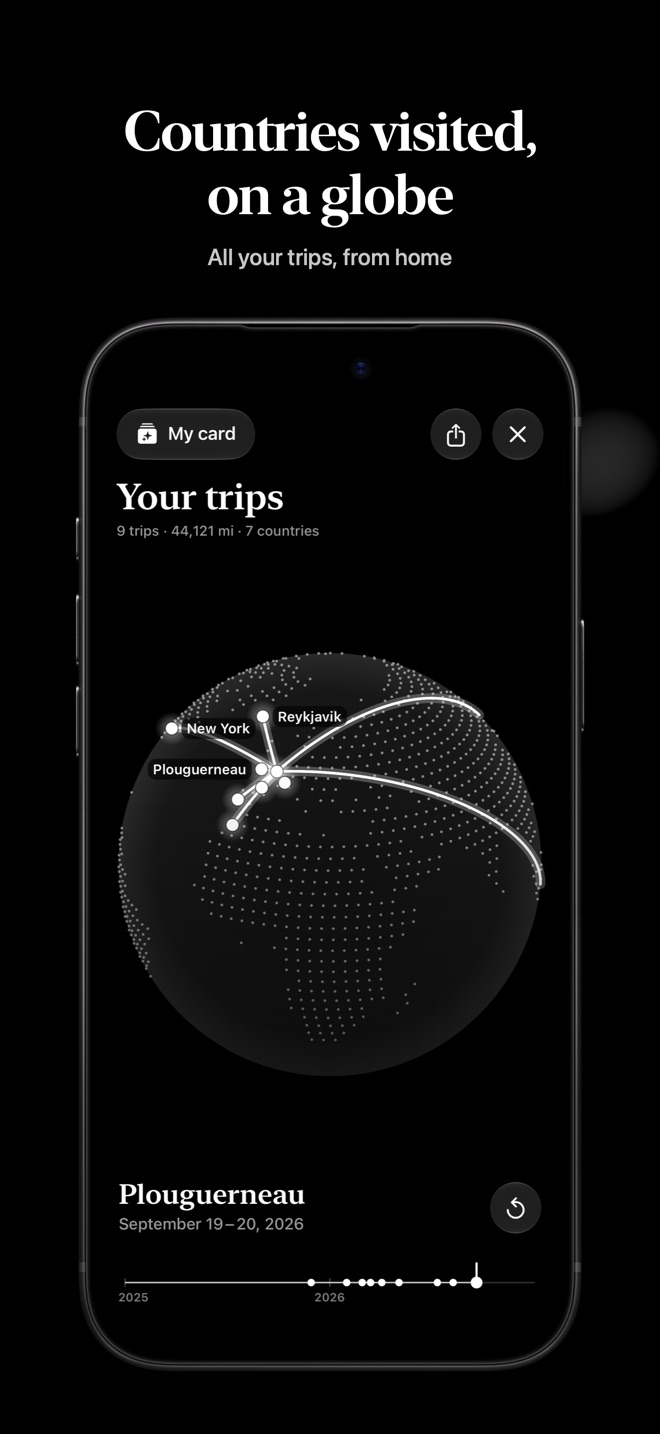
Your trips
Found automatically, with their route on a globe, stop by stop.
Your year
Your biggest day, your countries, your records, and the people who matter.
Nothing leaves
No account, no ads, no photo ever sent to a server.
Help
Do my photos leave my iPhone?
No. Photorama looks at your photos on the iPhone itself, using Apple's tools built into iOS. No photo, face or location is ever sent anywhere. Details are in the privacy policy.
How long does the first analysis take?
The first stories appear within seconds. The full analysis (best photos, faces, what each picture shows) takes from a few minutes to half an hour depending on the size of your library. It keeps going when you leave the app. To speed it up, tap the progress indicator at the top of the home screen, then “Prepare everything now”, and keep your iPhone plugged in.
What is free?
“All time” and your latest month are free, every month. In December, your year is free too. A one-time purchase, “Photorama Complete”, unlocks everything else: your years, your trips and all your months. No subscription.
I have a new iPhone: how do I get my purchase back?
Tap “Restore purchase”, on the offer page or in “About” (the “⋯” button at the top of the home screen), using the same Apple Account you bought it with.
Photorama only sees some of my photos
You probably gave limited access. Open Settings › Apps › Photorama › Photos and choose “Full Access”.
A stay is counted as a trip but it isn't one
Long-press its card on the home screen, then “Not a trip”. You can bring it back in “About” › Removed trips.
How do I name my people, or hide someone?
Tap a face in a story, or open “About” › Your people. Names stay on your iPhone.
How do I erase everything?
Delete the app: everything Photorama stored (photo scores, faces, names, your choices) goes with it. Your photos themselves are never modified.
A question, a problem, an idea? Write to us, we answer every message.
contact@rembobino.com